Do LinkedIn Articles Rank on Google
Published · Updated · By the RankedIn team
Do LinkedIn articles rank on Google? Yes, they can. When we checked 17 Google searches about ranking or indexing LinkedIn articles, a linkedin.com/pulse article sat in the live top 10 for 13 of them, and at number 1 for 4.
That does not mean any article will rank for any term. It depends on the search: how specific it is, who already ranks, and whether Google has indexed your page at all. This post covers LinkedIn articles, the long-form pieces published at linkedin.com/pulse addresses. Profiles, feed posts and company pages behave differently, and we explain how below.
What We Checked: 17 Searches About LinkedIn Articles
On 23 October 2026 we ran 17 searches on Google United States, all about ranking or indexing LinkedIn articles, and recorded the live top 10 for each one.
The limits are real, so here they are plainly:
- One topic area. Every search was about LinkedIn articles themselves, a topic where LinkedIn content is naturally relevant.
- One country and one day. Results differ by country and change over time.
- A small sample. 17 searches show a pattern, not a law.
You may have seen older answers, such as a 2022 video asking whether LinkedIn articles and posts are indexed, or a Reddit thread from an SEO founder asking whether articles on a company page help. They can be useful, but results move. The reliable answer for your term is always the live top 10 today.
What the Results Showed
A Pulse article appeared in the top 10 for 13 of 17 searches and held number 1 for 4. All four number 1 spots belonged to the same article: "Does Google index LinkedIn articles?" by Look Left Marketing.
That concentration matters. Rankings were not spread evenly across lots of LinkedIn articles. One strong article on the right subject won several closely related searches at once.
The results for this exact term tell a similar story. Of the top 9 results we read, 4 were on linkedin.com: one Pulse article (a general 781-word guide to ranking any article on Google) and three feed posts.
Which Searches LinkedIn Articles Can Win
From what we saw, LinkedIn articles do best on:
- Long-tail, specific searches, often phrased as questions.
- Searches where the top 10 already includes Pulse articles, which shows Google is willing to rank one there.
- Topics where an expert answer fits the format, rather than a shop, a map or a tool.
Set expectations on traffic. Most of the searches we checked were small, about 10 a month each. Winning one means a few well-targeted readers, not a flood. "linkedin article writer", at about 260 a month, was the larger exception.
Why can a new article compete at all? One ranking page explains it as trust: a brand-new website has to earn Google's trust over months, while LinkedIn is a long-established site, so a page there does not start from zero.
Which Searches They Rarely Win
Our data does not test big, competitive head terms, so we cannot give you a number for them. What it does show is that 4 of 17 searches had no Pulse article in the top 10, even in a topic where LinkedIn is relevant.
Our judgement, not our data: be sceptical about broad, high-competition terms, and about searches where people clearly want a business's own website, a product page or a local listing. Check the live results first, using the test further down.
Articles, Posts and Company Pages Are Not the Same Thing
Ranking pages cover these formats differently, so the advice does not always apply to what you are publishing.
- Articles get their own web address and allow long-form writing (well over 100,000 characters, according to one guide). This is the format our 17-search check measured.
- Feed posts can rank too: three appeared in the top 9 for this very term. But popular tips about them, such as adding keywords to image alt text or getting fast engagement as a "social signal", come with no evidence. Treat them as untested. We cover the differences in our guide to whether Google indexes LinkedIn posts.
- Company and showcase pages are profile-style pages. One agency reported its showcase page on page one for "Denver SEO" without posting for four months, which is a single anecdote about a page, not an article.
Ranking Is Not Indexing: Why a New Article May Not Show Up
Before an article can rank, Google has to index it, and that is not guaranteed. In a Google support thread from 2020, an author reported that Google was not indexing their LinkedIn article.
Our own example: we published four articles on 23 October 2026, including How to Rank a LinkedIn Article. That day all four were submitted for indexing with indexing in progress, and none was in Google's top 100 yet. That is expected so early.
After you publish with RankedIn, the article link and the X post link go to PetesIndexer together. RankedIn only shows a link as indexed when PetesIndexer confirms Google has indexed it; until then it says "Submitted, indexing in progress". A link that is not indexed is sent again once automatically. For the full process, see how indexing works for a LinkedIn article.
How to Check a Term Before You Write
This five-step test takes a few minutes and saves writing articles that cannot win:
- Search the exact term on Google in the country you care about, ideally in a private browser window.
- Scan the top 10 for linkedin.com/pulse addresses. If one is there, Google already ranks articles for this search.
- Read the ranking pages. Note what they cover, what they miss, and the People Also Ask questions.
- Judge the volume. Expect long-tail terms to be small, and decide whether a few targeted readers are worth it.
- Decide. Write if you can clearly beat what ranks; skip or rephrase if the top 10 is all big brands and product pages.
RankedIn does steps 1 to 3 automatically. The Research Agent fetches the live top 10 and reads every ranking page, using Google's snippet for pages that block automated reading. The Analyst Agent then finds the gaps and the questions to answer.
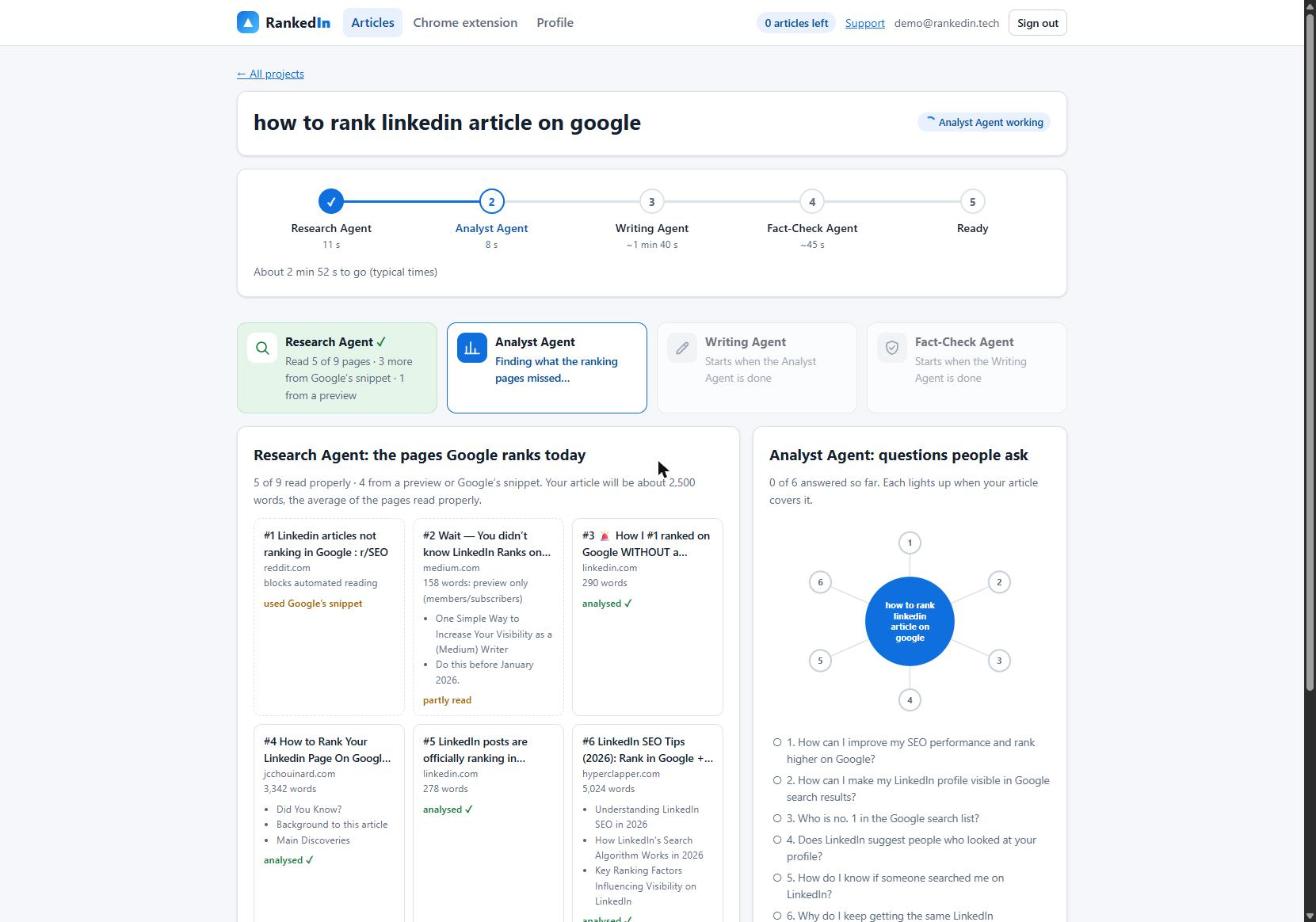
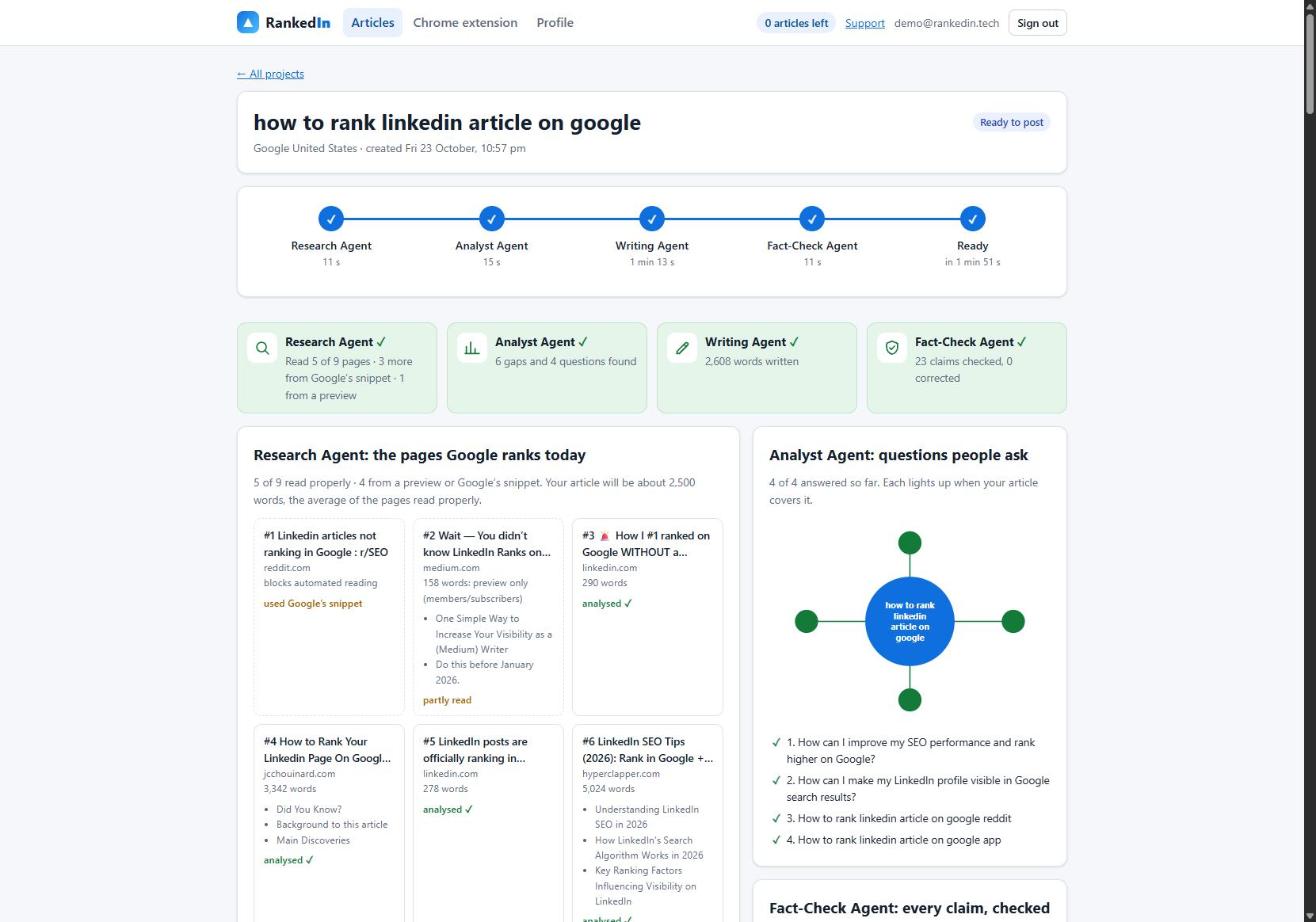
In a real run for "how to rank linkedin article on google" (Google United States), research took 11 seconds and read 5 of 9 ranking pages properly, plus 3 from Google's snippet and 1 from a preview. The Analyst found 6 gaps and 4 questions in 15 seconds. The Writing Agent produced 2,608 words, and the Fact-Check Agent checked 23 claims with 0 corrections. Our end-to-end playbook for ranking a LinkedIn article walks through each step.
Track the Result and Set Realistic Expectations
Once your article is live and indexed, watch its position over time instead of checking once. To see where it shows up, use the Test Now link next to the project in RankedIn: it opens that exact Google search in the project’s country.
Be clear-eyed: nobody can guarantee rankings or indexing, and RankedIn does not. What you can control is choosing terms where Pulse articles already rank and writing the most useful answer on the page. If you want to test this on one term, your first RankedIn article is free.
Frequently asked questions
Where are articles on LinkedIn?
Each LinkedIn article has its own web address starting with linkedin.com/pulse, which is the address Google can index and rank. Articles also appear on the author's profile, separate from short feed posts.
Why is my LinkedIn not coming up on Google search?
The most common reason is that Google has not indexed the page yet, which can take time and is never guaranteed. For a profile, also check that your public profile visibility setting allows search engines to see it. If you are searching for a specific term rather than your name, other pages may simply be ranking ahead of yours.
How can I make my LinkedIn profile visible in Google search results?
Make sure your public profile is visible to search engines in your LinkedIn settings, then complete every field. Ranking pages also advise using the words people actually search for, such as what you do and where, in your headline and About section. Publishing articles gives Google more of your pages to find, each with its own address.
How do I rank a new website on Google?
A brand-new website starts with no track record, so it usually has to earn Google's trust over months. Target specific long-tail searches, answer them better than the pages already ranking, and make sure your pages are indexed. Some businesses also publish on established sites like LinkedIn in the meantime, because those pages do not start from zero.