Does Google Index LinkedIn Posts
Published · Updated · By the RankedIn team
Yes, Google can index LinkedIn posts, but not reliably, and never on a guarantee. People have watched a LinkedIn post outrank their own website article, while others have posted on Google's help forums that their LinkedIn profile or article never appeared at all. So if you are asking "does Google index LinkedIn posts", the honest answer is: sometimes.
The format matters more than most people think. A feed post can turn up in Google, but a LinkedIn article has its own permanent linkedin.com/pulse address that you can link to, submit for indexing and track. That is why RankedIn publishes articles, and uses the feed post and an X post only to support them.
The short answer: sometimes, and never guaranteed
Evidence that it happens
- In a Reddit r/SEO thread, a site owner says that every time they share a LinkedIn post about an article from their website, the LinkedIn post ranks higher on Google than the original article.
- Jeremy Moser wrote on LinkedIn that one of his posts appeared in Google's "What people are saying" section for "link building agency".
- A marketing agency, The Diamond Group, argues that Google is surfacing more social content, including LinkedIn, and cites Search Engine Journal reporting that Google is testing more social snippets. Treat that as an agency's view, not measured data.
Evidence that it often does not
- A January 2024 Google Search Central help thread: a user's LinkedIn profile did not show up in Google even for "name + LinkedIn", while Bing and other engines had no problem.
- A July 2020 thread titled "Google does not index my LinkedIn article".
- A 2020 thread where a user's public LinkedIn photo was not updated in Google results after more than a year, and LinkedIn told them it was on Google's side.
What "indexed" actually means
Google works in three steps: crawl (Googlebot visits the page), index (the page is stored in Google's database) and rank (the page is placed for a search). A page cannot appear in results until it is indexed, and being indexed does not mean it ranks well.
Posts, articles and newsletters: what each one is to Google
None of the pages ranking for this search separates LinkedIn's formats, so here is what the evidence shows, with the gaps marked honestly.
- Feed posts. Short updates in the feed. They do have an address (Jeremy Moser's sits at linkedin.com/posts/...), and the examples above show they can appear in results. What nobody's data shows is how long a post stays findable once it has left the feed.
- Articles. Long-form pages with a title and headings, at a linkedin.com/pulse/ address. Two of the nine pages ranking for this very search are pulse articles, so they clearly can rank. They are still not guaranteed to be indexed, as the 2020 help thread shows.
- Newsletters. Our research is silent on how Google treats newsletters differently from articles, so we will not invent rules for them.
- Profiles. Older advice from The Undercover Recruiter says to set your public profile and photo visibility to "Everyone". That is about profiles, not posts.
Why a permanent URL matters
A feed post is built for the stream: people see it in the hours after you post. An article is built to be a page. Here are the four articles we published with RankedIn on 23 October 2026:
- The Best AI Overviews MCP
- AI Overviews MCP for ChatGPT
- How To Reverse Engineer AI Overviews
- How to Rank a LinkedIn Article
Each address is stable and readable: the title, the author, a short code. That means it can be linked from your website, a feed post and X, sent to an indexing service, and checked for its Google position day after day. Those are the things that turn "maybe Google finds it" into something you can actually manage.
What we found when we checked the results
On 23 October 2026 we ran 17 Google United States searches about ranking or indexing LinkedIn articles. A linkedin.com/pulse article was in the live top 10 for 13 of the 17, and at number 1 for 4 of them. All four number-one spots were held by the same article, "Does Google index LinkedIn articles?" by Look Left Marketing.
The limits are real: most of these searches are small (about 10 a month), it was one country on one day, and it was one topic. It shows that pulse articles can win long-tail searches, not that any article will. We go deeper in our evidence-first answer on whether LinkedIn articles rank on Google.
Why RankedIn publishes articles, not feed posts
Because the article is the piece with a permanent URL, everything in RankedIn is built around producing a good one:
- You type the search term, pick the Google country, and optionally set a "Link to" page (your website by default) and a cover image.
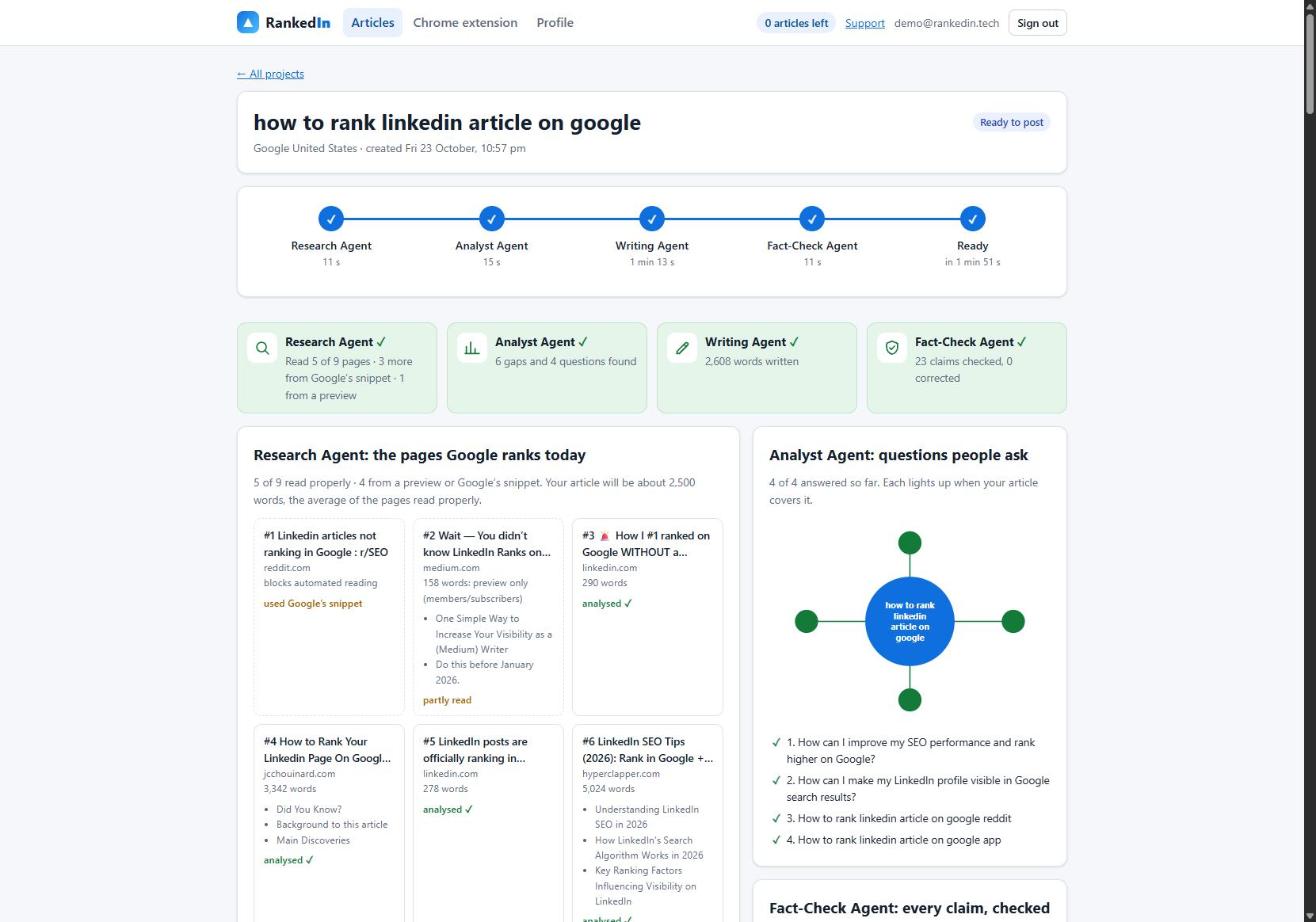
- The Research Agent reads Google's live top 10; the Analyst Agent finds the gaps and the People Also Ask questions; the Writing Agent writes the article with the exact search term as the title; the Fact-Check Agent checks up to 25 claims against the research.
- Our Chrome extension opens LinkedIn's article editor and fills in the title, the article with LinkedIn's own Heading and Subheading styles, the cover, and the search term as the cover caption.
- You read it and click Publish yourself. RankedIn never publishes for you.
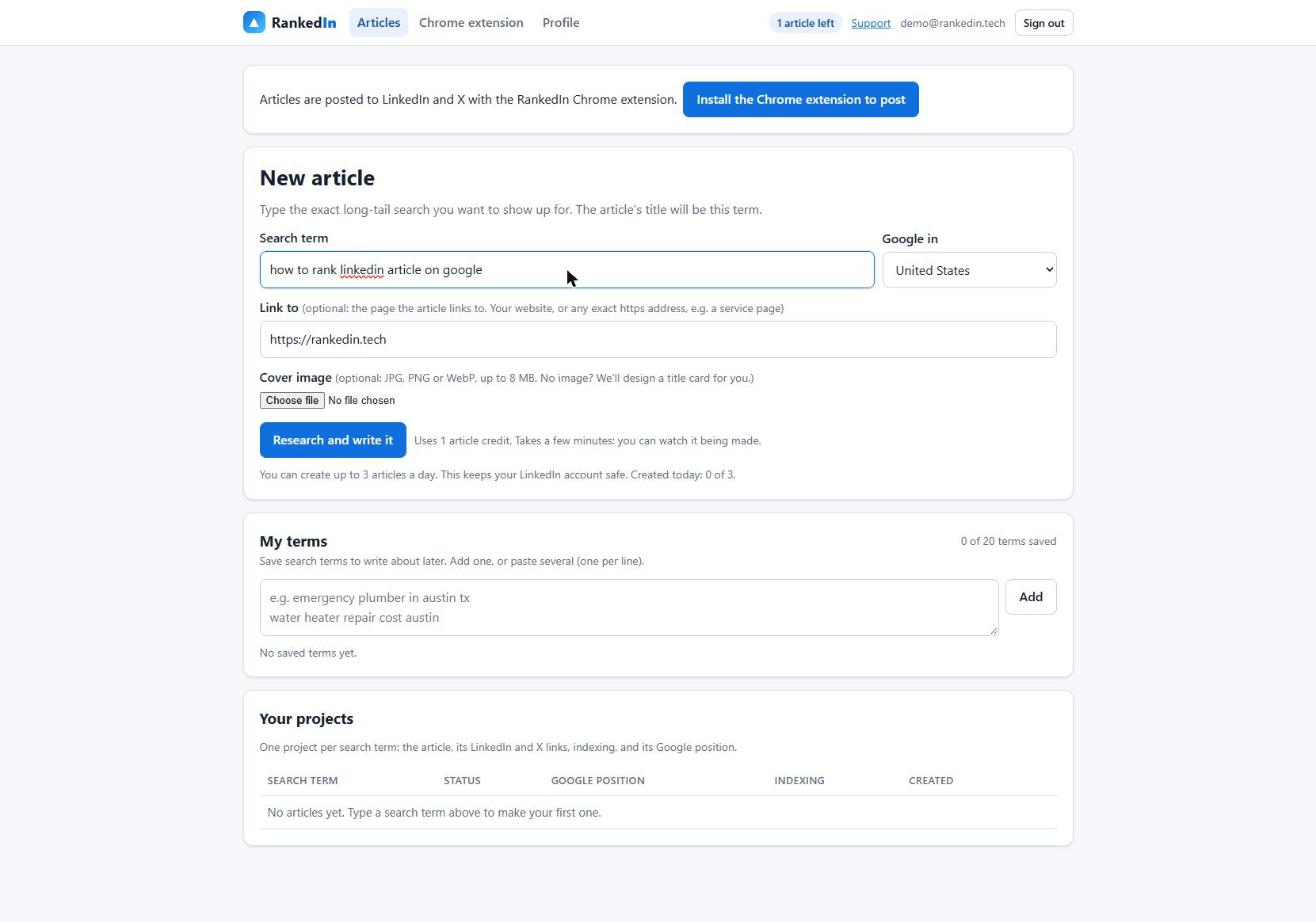
In a real run for "how to rank linkedin article on google", all four agents finished in 1 minute 51 seconds with a 2,608-word article and 23 claims checked.
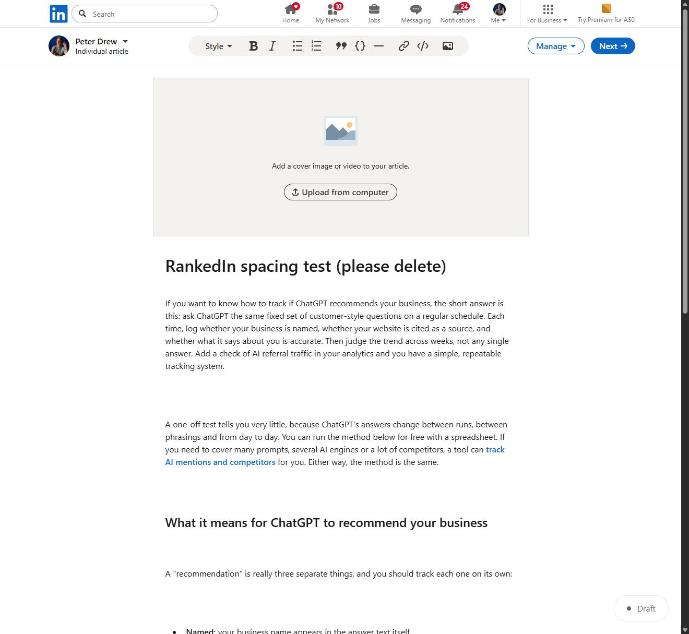
Clean structure matters too. We found that line breaks between blocks of pasted HTML made LinkedIn's editor insert empty paragraphs: a 12-block article became 23 blocks, 11 of them empty. Sending compact HTML fixed it, and 12 blocks now stay 12.
What the feed post and the X post are for
After you click "Next" in LinkedIn's editor, RankedIn fills in the feed post that announces the article to your network. Once you publish, X opens with a post ready that links to the article, and you click Post.
These posts help people discover the article and give Google more places to find its link. They are not the thing meant to rank. If you want the announcement itself to be well written, see SEO for the feed post that announces an article.
How to get a LinkedIn article indexed, and how to tell if it worked
The usual advice, Google Search Console's "Request indexing" button, only works for sites you have verified you own. You cannot verify linkedin.com, so it does not apply to a LinkedIn URL.
What RankedIn does instead:
- After you publish, the article link and the X post link are sent together to PetesIndexer, the indexing service we use.
- A link is shown as Indexed only when PetesIndexer confirms Google has indexed it. Until then it says Submitted, indexing in progress.
- A link that is not indexed is sent again once, automatically.
To check by hand, search Google for the full URL, or use the site: operator with your article's address. That is a quick check, not a complete one: the site: operator does not always show every indexed page. Indexing is never guaranteed, by us or anyone. More detail is in how indexing works for a LinkedIn article.
How long it takes, and how to track position
No source we read gives a fixed time for LinkedIn content to appear in Google, and we will not make one up. Our own example: the four articles we published on 23 October 2026 were submitted to PetesIndexer and, on the same day, were not yet in Google's top 100. That is expected so early.
Check again over the following weeks to see whether it appears and where it settles. To see where it shows up, use the Test Now link next to the project in RankedIn: it opens that exact Google search in the project’s country.
Settings and habits that help you be found
- Keep it public. Google cannot index what it cannot see. Check your public profile visibility settings too.
- Put the exact search phrase in the title. RankedIn uses the search term itself, in Title Case.
- One clear topic per piece. An article that answers one specific question is easier to match to a search.
- Make it useful and original. Thin or duplicate content is a common reason pages are skipped.
- Link to it. Announce it in a feed post, share it on X, and link it from your website.
- Keep a sensible pace. RankedIn allows at most 3 new articles a day per customer, to keep your LinkedIn account safe.
Frequently asked questions
How long does it take for LinkedIn to show up on Google?
There is no fixed time, and none of the sources we read gives one for LinkedIn content. Our own four articles published on 23 October 2026 were submitted for indexing and not yet in Google's top 100 the same day, which is expected that early. RankedIn’s Test Now link opens the Google search for your term so you can see when it appears; your first article is free, though rankings and indexing are never guaranteed.
What is a Google index?
It is Google's database of pages it has crawled and stored. Google first crawls a page, then indexes it, then ranks it for searches. A page that is not indexed cannot appear in results at all.
Does Google index LinkedIn posts, according to Reddit?
Reddit users report that it can. In one r/SEO thread, a site owner says their LinkedIn posts rank higher on Google than the original articles on their website. That is one person's experience, and Google help threads show other LinkedIn content that was never indexed.
What to avoid posting on LinkedIn?
From a search point of view, assume anything public could be found on Google, so avoid posting what you would not want a stranger to read. Avoid thin, copied or keyword-stuffed content, which is a common reason pages are skipped. And avoid publishing in bursts; RankedIn caps new articles at 3 a day to protect your account.