How to Get LinkedIn Articles Indexed Fast
Published · Updated · By the RankedIn team
If you want to know how to get LinkedIn articles indexed fast, here is the honest answer. You can speed up how quickly Google finds your article. You cannot force Google to index it, and nobody can guarantee that it will, including us.
What you can do is make the first 48 hours count. Publish the article properly. Share it. Link to it from other places. Submit it to an indexing service. Then check whether it worked, and give it time. This guide walks through each step in order and uses our own recent articles as a worked example.
Can you really get a LinkedIn article indexed fast?
First, two terms that often get mixed up:
- Indexed means Google has stored your page and can show it in results.
- Ranking means your page actually shows up, at some position, for a particular search.
A page has to be indexed before it can rank, but being indexed does not mean it ranks anywhere useful.
Why is indexing slow? Google has to discover the URL, crawl it, and then decide whether to keep it. Each step runs on Google's schedule, not yours. One source that studies public LinkedIn posts says a post published today may take hours or days to appear in Google. It also says a post is more likely to be indexed at all if the author has a large following or the post got early engagement. That is about posts, not articles, but the same logic is a sensible guide. For a deeper look at the crawl, index and rank steps, see our guide on how Google indexes LinkedIn articles and how to check yours.
What you control and what you don't
What you control
- Whether the article is published publicly and finished, not left as a draft.
- The headline, structure and quality of the article.
- Sharing it: a feed post, a post on X, your newsletter.
- Linking to it from pages you own or use: your website, email signature, other profiles.
- Submitting the URL to an indexing service.
What you don't control
- When Googlebot crawls the page.
- Google's judgment of whether the page is worth indexing.
- Whether it gets indexed at all.
One helpful fact is on your side. According to an analysis of LinkedIn's robots.txt, LinkedIn names Googlebot and leaves its public post and profile pages open to it, while blocking most other crawlers. LinkedIn is not hiding public content from Google. The bottleneck is Google's own crawl and quality decisions.
Hour 0: publish it so Google can see it
Speed starts with the article itself. A page Google cannot read, or does not want, will not be indexed however hard you push it.
- Publish it, don't just save it. Drafts have no public URL.
- Use the search phrase as the headline. A clear, literal headline tells both readers and Google what the page is about.
- Use real subheadings. LinkedIn's article editor has proper Heading and Subheading styles. Use them, not bold text.
- Write a real body. Thin pages are the ones search engines skip.
- Make sure nothing says noindex. A commenter in a BlackHatWorld thread points out that if a page has a noindex status, there is no way to get it indexed. Public LinkedIn articles are normally indexable, so this is a check, not a step.
In our own workflow, RankedIn's Chrome extension opens LinkedIn's article editor and fills in the title, the article (with LinkedIn's own Heading and Subheading styles), the cover image and the search term as the cover caption. The author reads it and clicks Publish themselves. RankedIn never publishes for them.
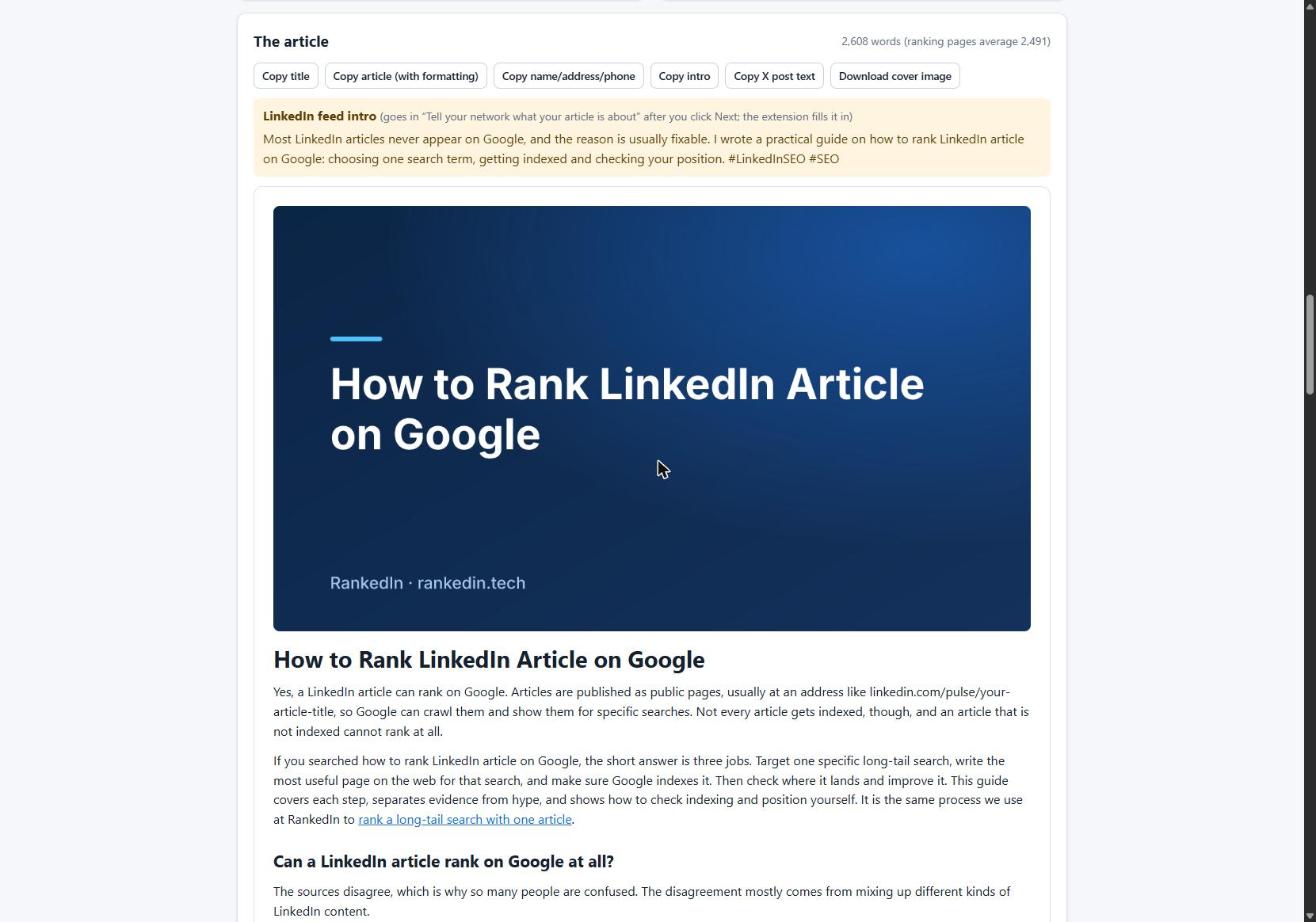
One editor detail we learned the hard way: pasted HTML with line breaks between blocks made LinkedIn's editor insert empty paragraphs. A 12-block article became 23 blocks, 11 of them empty. Sending compact HTML fixed it. If you paste articles in, check the spacing before you publish.
Hours 1 to 6: share it to create crawlable paths
Google finds new pages mostly by following links. Every public link to your article is another path to it. So, soon after publishing:
- Announce it with a feed post. LinkedIn lets you write a post that introduces the article right after you publish. Set the post so anyone can see it.
- Share it on X with the link. In our workflow, X opens with a post ready that links to the article, and the author clicks Post.
- Add the URL elsewhere: your website, your email signature, a newsletter issue.
How do you get LinkedIn posts noticed? Write a post that stands on its own: lead with the sharpest point from the article and give people a reason to click. One marketing guide notes that LinkedIn does not push articles into the feed the way it pushes native posts, so an article published with no support goes quiet. The announcement post does the distribution the article cannot do for itself.
Keep expectations modest. Links and shares give Google more ways to discover the page. They do not oblige Google to index it.
Hours 6 to 24: submit it to an indexing service
An indexing service asks Google to look at a URL. It can shorten the wait for discovery. It cannot make Google keep a page, and it cannot make a page rank.
Here is our real setup. After publishing, the LinkedIn article link and the X post link are sent together to PetesIndexer, the indexing service RankedIn uses. RankedIn shows a link as indexed only when PetesIndexer confirms Google has indexed it. Until then the status reads "Submitted, indexing in progress". Indexing is not guaranteed. A link that is not indexed is sent again once, automatically.
Why not Google Search Console?
The BlackHatWorld thread suggests submitting links through Search Console. That tool only works for sites you own and have verified. You cannot verify linkedin.com, so its URL submission is not available to LinkedIn authors. That is why authors turn to sharing, linking and an indexing service instead.
Day 2: how to check whether it's indexed
- Search Google for the full article URL.
- Search for the exact title in quotes.
- If your article appears, it is indexed. If not, it may simply not be indexed yet.
Remember the difference: appearing for its exact title shows it is indexed. Appearing for the search term you targeted is ranking, and that usually takes longer. To see where it shows up, use the Test Now link next to the project in RankedIn: it opens that exact Google search in the project’s country.
A real example with an honest status
On 23 October 2026 we published four LinkedIn articles written with RankedIn, including How to Rank a LinkedIn Article. Their status that same day: submitted to PetesIndexer, indexing in progress, and not in Google's top 100 yet. That is expected this early, and we report it as it is.
Is it worth the wait? Opinions differ. One forum commenter says they rarely see LinkedIn articles indexed. Our own keyword research found the opposite pattern: across 17 searches about ranking or indexing LinkedIn articles on Google United States, a linkedin.com/pulse article was in the live top 10 for 13 of them, and at number 1 for 4. LinkedIn articles can get indexed and rank. It just isn't instant. Our guide on how long a LinkedIn article takes to rank on Google sets out a realistic timeline.
If it's still not indexed after a few days
A Reddit thread on r/SEO describes the common problem: someone wants their LinkedIn articles to appear in Google, but they don't even get indexed. Work through this list:
- Confirm the article is published and public, not a draft.
- Check you are testing the correct URL.
- Resubmit it once, not repeatedly.
- Add one more real link or share from somewhere new.
- Improve thin or duplicated content: add specifics and answer the search properly.
- Wait. Google's schedule is not yours.
Nothing guarantees indexing. For a fuller list, see our troubleshooting checklist for LinkedIn articles that aren't indexed.
Faster indexing starts with a better article
The steps above help Google find your page. Whether Google wants it depends on the page. Pick a specific long-tail search term, answer exactly what that searcher wants, and structure it with clear headings. One marketing guide also notes that updating an article later signals freshness to search engines.
That is what RankedIn is built for. Four AI agents research Google's live results for your term, find the gaps, write the article and fact-check its claims. In one real run, all four finished in 1 minute 51 seconds.
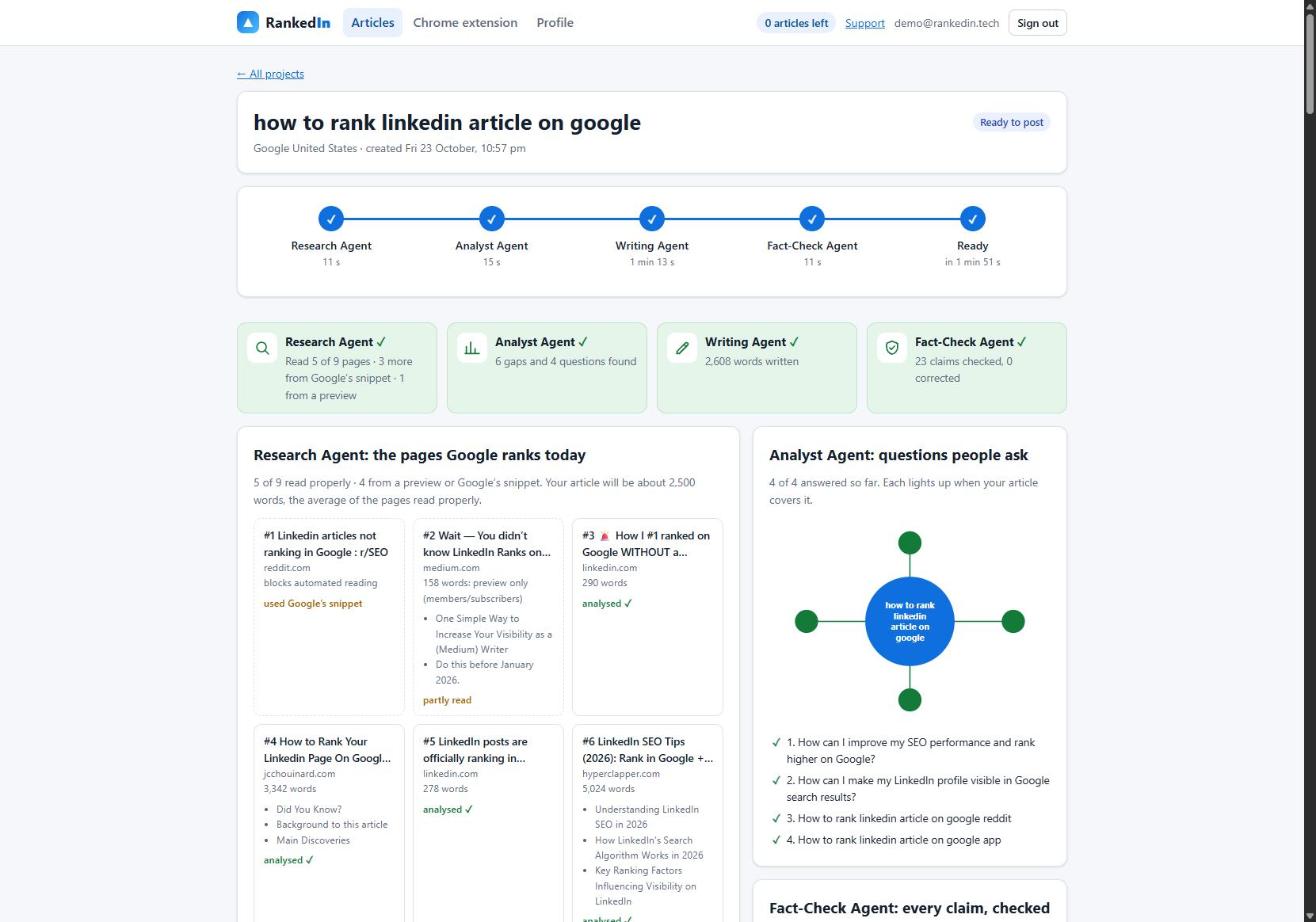
To keep LinkedIn accounts safe, customers can create at most 3 new articles a day. Your first article is free. Like any honest tool, we don't guarantee indexing or rankings, but we do show you exactly where each article stands.
Frequently asked questions
Why is Google indexing taking so long?
Google has to discover your URL, crawl it and then decide whether to keep it, all on its own schedule. For public LinkedIn posts, one source says this can take hours or days, and pages with a larger following or early engagement are more likely to be indexed. Sharing, linking and submitting the URL can speed up discovery, but nothing guarantees indexing.
How to get LinkedIn posts noticed?
Write a post that stands on its own: lead with your sharpest point and give people a clear reason to click through. Set it so anyone can see it. LinkedIn does not push articles into the feed the way it pushes native posts, so an announcement post is what gives a new article its early reach.
Does Google index LinkedIn articles?
Yes, public LinkedIn articles can be indexed and can rank. In our research across 17 searches about ranking or indexing LinkedIn articles, a linkedin.com/pulse article was in Google's top 10 for 13 of them. Indexing is not instant or guaranteed, though.
How to get a LinkedIn Pulse Article indexed by Google?
Publish it publicly with a clear headline and real structure, announce it with a feed post, share it on X and link to it from pages you control. Then submit the URL to an indexing service, since Search Console only works for sites you own. If it still isn't indexed after a few days, check the URL, resubmit once, improve thin content and wait.