LinkedIn Articles Not Getting Indexed by Google
Published · Updated · By the RankedIn team
If your LinkedIn articles are not getting indexed by Google, the cause is usually one of five things. Check them in this order: the article isn't really public, it's too new, it's thin or duplicated, Google has no path to find it, or it's caught in a wider Google indexing slowdown. You can fix or wait out most of these. A few are outside your control, because LinkedIn owns the page, not you.
Before you change anything, confirm which problem you actually have. "Not indexed" (Google has no copy of the page), "indexed but not ranking" and "ranking low" need different fixes. The checklist below starts with the quickest checks and ends with the slowest.
First, confirm the article is really not indexed
Test the one article you care about, not your whole profile:
- Open the article and copy its full address. It should look like linkedin.com/pulse/your-article-slug.
- Search Google for site: followed by that full address, for example site:linkedin.com/pulse/your-article-slug.
- Search the article's exact title in quotation marks.
If neither search shows the article, it is probably not indexed. If it appears for its title but not for the search you wrote it for, it is indexed but not ranking. That is a content and competition problem, which we cover in our step-by-step guide to checking whether a LinkedIn article is indexed.
Two cautions. A plain site:linkedin.com search is only a rough check: it covers a huge site and does not give you a complete list of indexed pages. Also, one of the guides ranking for this search suggests monitoring LinkedIn articles in Google Search Console. Search Console only works for sites you have verified you own, so you cannot inspect a linkedin.com URL there. Use it for your own website instead.
Check 1: Is the article public and the link live?
This takes two minutes and catches more problems than you would expect.
- Published, not a draft. Make sure you actually clicked Publish and the article appears in your activity.
- Opens when logged out. Paste the URL into a private or incognito window. If you hit a sign-in wall or an error, Google can't see the page either.
- Correct URL. If you edited the title after publishing, test the address the live article uses now, not an old copy you saved.
- Profile visibility. If your profile was hibernated or set to private and later made public again, indexing may lag. A Google support forum thread describes exactly this: a profile that was not indexed after being made public again.
Check 2: Has enough time passed?
A new article is often simply not indexed yet. Google has to discover the page, crawl it and decide to keep it, and none of that is instant.
Here is our own example. On 23 October 2026 we published four LinkedIn articles written with RankedIn, including How to Rank a LinkedIn Article and The Best AI Overviews MCP. The same day, all four were submitted for indexing with the status "indexing in progress", and none was in Google's top 100 yet. That is expected so early, and it does not mean anything is wrong.
Nobody can promise exact timing, including us. For realistic expectations, read how long it takes for a LinkedIn article to rank on Google.
Check 3: Is the article thin, duplicated or off-intent?
If the article is public and has had time, look at the content itself. In a LinkedIn post about pages dropping out of Google's index, SEO John Weaver suggests asking these questions about any page that isn't indexed:
- Is the content thin?
- Is it outdated?
- Is it duplicative?
- Is it missing internal links?
- Does it no longer match the search intent?
LinkedIn articles have two extra risks. The first is republishing a page from your own website, since Google already has the original. The second is a generic AI rehash of what already ranks. Commenters on a forum thread about LinkedIn articles disappearing pointed to spammy, repetitive and AI-written articles as the ones that vanished. That is opinion, not proof, but it lines up with the questions above.
To strengthen the article:
- Answer the exact search in the first two paragraphs.
- Add specifics: steps, real examples, numbers you can stand behind.
- Cover what the current top pages miss, instead of restating them.
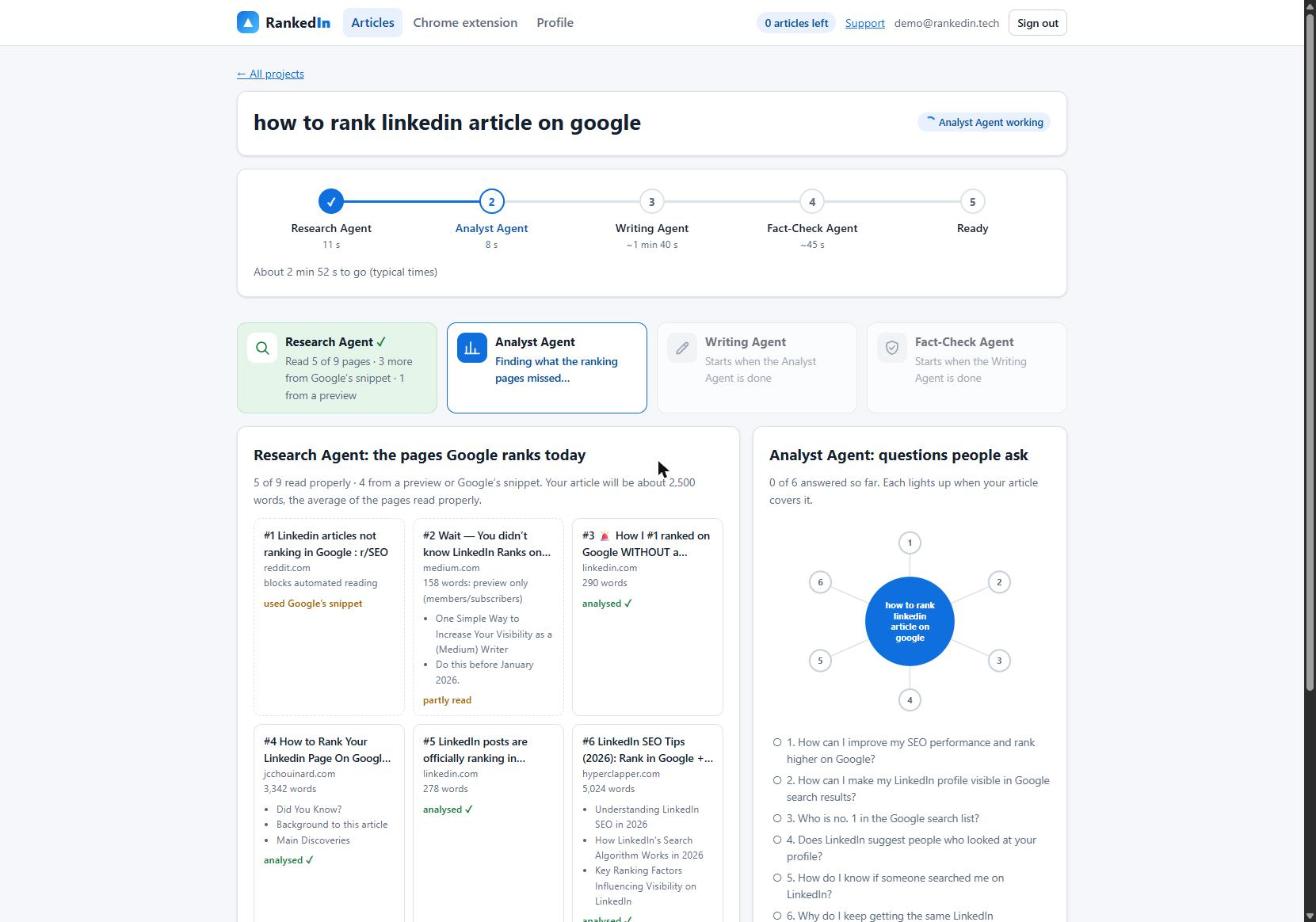
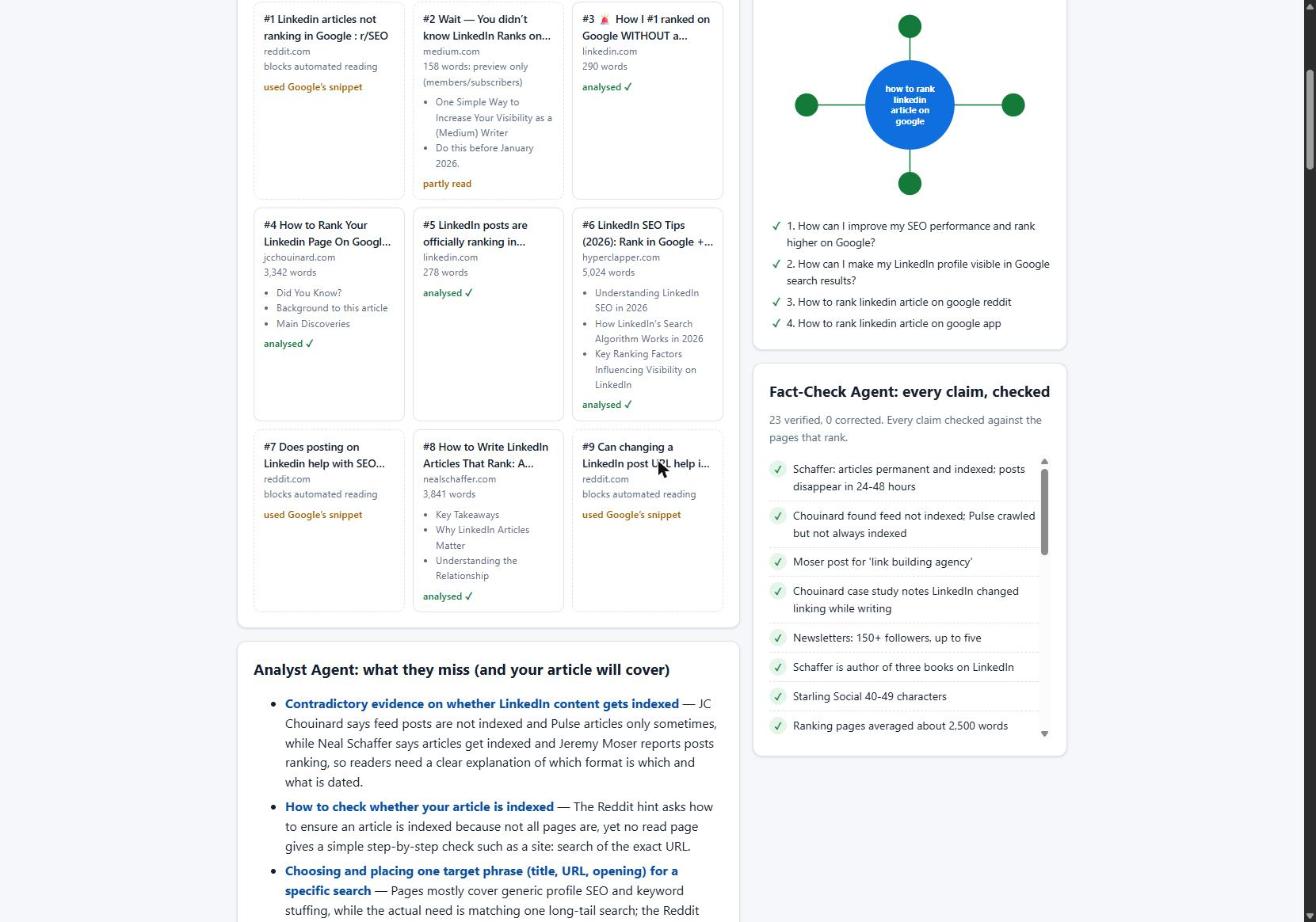
This is the approach RankedIn's agents take: read the pages that rank, find the gaps and the questions people ask, then write to fill them. Our LinkedIn article SEO checklist goes through the on-page items one by one.
Check 4: Does Google actually have a reason to find it?
An article nobody links to is easy for Google to miss. Give it paths in:
- Announce it with a feed post on your profile.
- Link to it from your website, newsletter or other articles.
- Share it on other platforms where people in your field will see it.
It also helps to know what you can and can't control. You don't own linkedin.com, so you cannot edit its robots file, add or remove noindex tags, or submit a sitemap. One of the ranking guides also says LinkedIn doesn't support canonical tags, which makes republishing your own blog posts risky. The same guide says external links in articles are typically marked nofollow. They can still send you visitors, but you shouldn't count on them to pass ranking value.
Some people have found "noindex" in the page source of certain LinkedIn articles but not others, as one Reddit question describes. You can check yours by viewing the page source and searching for "noindex". If it's there, Google is being told not to index that page, and only LinkedIn can change that. None of the research explains why LinkedIn sets it on some articles. Forum guesses about "temporary noindex tags" are unconfirmed.
Check 5: Is it a wider Google indexing slowdown?
Some of the problem may not be about LinkedIn at all. Site owners report Google dropping pages from its index without explanation. Francois Zaninotto wrote that pages on his company's site were landing in "Crawled - currently not indexed" in Search Console with no errors reported. John Weaver describes ranking pages "quietly dropping out" with no manual action.
Forum posters claim Google has removed most LinkedIn articles from search. Our own keyword research doesn't support a blanket removal. On 23 October 2026 we checked 17 Google United States searches about ranking or indexing LinkedIn articles. A linkedin.com/pulse article was in the live top 10 for 13 of them, and at number 1 for 4.
So treat a dropped article the way Weaver suggests: as feedback rather than a penalty. Then go back to Check 3.
What to do before you resubmit
Resubmitting an unchanged weak page rarely helps, because it asks Google the same question and gets the same answer. Work through this list first:
- Confirm it is public and opens when logged out (Check 1).
- Make the title match the search you are targeting.
- Improve the content: answer first, add specifics, fill the gaps (Check 3).
- Link to it from your feed and from at least one other place you control (Check 4).
- Check the page source for noindex. If you find it, accept that resubmitting won't override it.
- Only then submit it for indexing, and track the result.
How RankedIn handles submission
When you publish a RankedIn article on LinkedIn, you click Publish yourself. We never publish for you. After that, the LinkedIn article link and the X post link are sent together to PetesIndexer, the indexing service we use.
- RankedIn shows "Submitted, indexing in progress" until PetesIndexer confirms Google has indexed the link. Only then does it say indexed.
- If a link isn't indexed, it is sent again once, automatically.
- A Test Now link opens the Google search for your term in the project’s country, so you can see where it shows up.
To be plain: indexing is not guaranteed, and rankings never are. What we can do is publish articles built to deserve indexing, submit them properly and report the status honestly.
Frequently asked questions
Why is my LinkedIn profile not available in Google search?
One possible reason is that your public profile is hidden from search engines in LinkedIn's public profile settings, or your profile was recently hibernated or made private. If you have just made it public again, it may not be indexed straight away: a Google support forum thread describes exactly that. Check that your profile opens in a logged-out window, then give Google time to recrawl it.
Why isn't Google indexing my site?
On your own website you can use Google Search Console to see why a page isn't indexed, for example "Crawled - currently not indexed". Common causes are thin, outdated or duplicate content, missing internal links and content that doesn't match the search intent. Site owners have also reported Google dropping pages from its index more aggressively, so improve the page before you resubmit it.
What is ghost mode on LinkedIn?
"Ghost mode" is an informal name for browsing LinkedIn profiles privately, so the people you view don't see who you are. It is about profile viewing, not about Google. It has no effect on whether your articles get indexed.
What does stealth mode mean in LinkedIn?
"Stealth mode" is usually used the same way as ghost mode: viewing profiles without revealing your identity. Like ghost mode, it doesn't change how Google treats your public profile or articles. If your articles aren't indexed, work through the checklist above instead.
Can I hide that I looked at someone's LinkedIn?
Yes. LinkedIn's profile viewing settings let you browse in private mode, so your name isn't shown to the people whose profiles you view. This setting is unrelated to search indexing and won't help or hurt your articles in Google.