How to Write LinkedIn Articles That Rank on Google
Published · Updated · By the RankedIn team
If you want to know how to write LinkedIn articles that rank on Google, the short answer is this. Pick one long-tail search term. Check what already ranks for it. Use the exact term as your title and answer the question in your first paragraph. Then build the rest around what the reader will ask next, add one relevant link, and check every fact before you publish. Publish it as a LinkedIn article, not a feed post, and give Google time to index it.
None of this guarantees a ranking. Nobody can promise that, and we don't. These steps give your article a fair chance. Below is how we handle each one, using our own runs from 23 October 2026 as examples. If you want the full process from search term to a published, indexed article, read our end-to-end playbook for ranking a LinkedIn article on Google. This page covers the writing itself.
Start with one search term, then check who already ranks
Write one article per search term. A long-tail term, such as "how to rank linkedin article on google", tells you exactly what the reader wants. An article that tries to cover five topics answers none of them well.
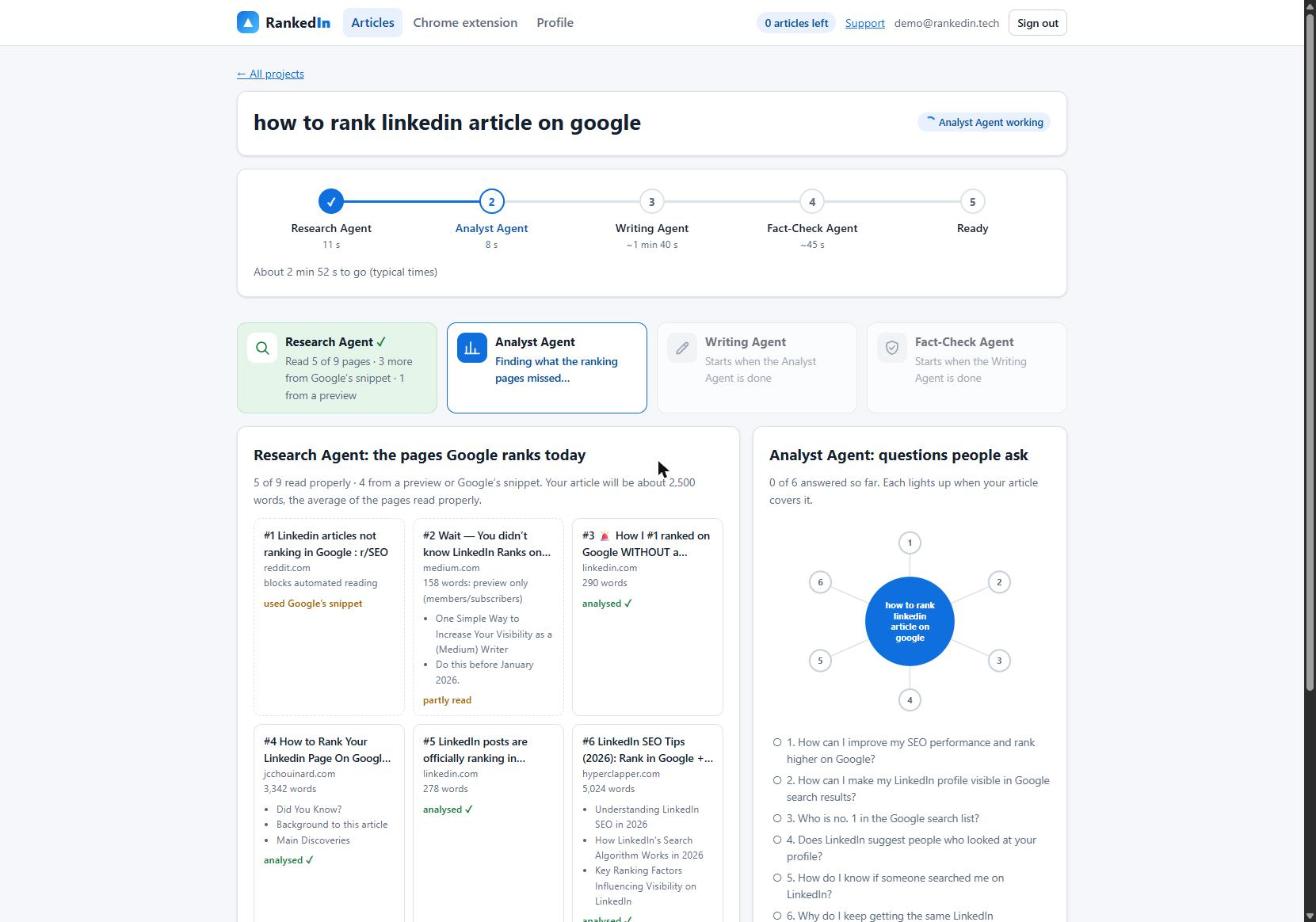
Before writing, look at the pages Google already shows for that term. In RankedIn, the Research Agent fetches Google's live top 10 and reads every ranking page at the same time. Some sites, Reddit for example, block automated reading. For those pages it uses Google's own snippet instead. It then sets the target length from the average of the pages it read properly, kept between 1,200 and 3,000 words.
In a real run on "how to rank linkedin article on google" (Google United States), the Research Agent read 5 of 9 ranking pages properly, 3 more from Google's snippet and 1 from a preview. It set a target of about 2,500 words, and the step took 11 seconds.
Doing this by hand? Search your term in a private browser window. Open each result, note roughly how long it is and what it covers, and write down what it leaves out. That list of gaps becomes your outline.
Why write an article, not a post
LinkedIn has profiles, company pages, feed posts and articles, and many guides mix them together. For ranking on Google, the difference matters. As the Boulder SEO Marketing team explains, Google reads and files LinkedIn articles almost like blog posts and gives each one its own web address, so each article can show up in search on its own. Quick status updates, they say, Google mostly ignores.
Our own keyword research backs up the idea that articles can rank. We checked 17 searches about ranking or indexing LinkedIn articles on Google United States. A linkedin.com/pulse article was in the live top 10 for 13 of them, and at number 1 for 4. All four number 1 spots were held by the same article, "Does Google index LinkedIn articles?" by Look Left Marketing. Most of those searches are small, around 10 a month. An article can rank, but that is not the same as saying yours will.
Use the exact search term as your title
Our Writing Agent always sets the title as the exact search term in Title Case. For example, one of our own articles is called How to Rank a LinkedIn Article. The reason is simple. The searcher sees their own words in the result, and Google sees a page that is clearly about that query.
Compare that with a clever title such as "The Secret Nobody Tells You About LinkedIn". It might do well in the feed, but it matches nothing anyone types into Google. Save the personality for the body and keep the title literal.
Answer the searcher in the first paragraph
Many ranking pages open with a greeting or a story. The Boulder SEO page starts with "Hello and happy Friday!". Another ranking article only gives its answer in the last line: write lots of articles. Both are pleasant reads, but a searcher who wants the answer has to dig for it.
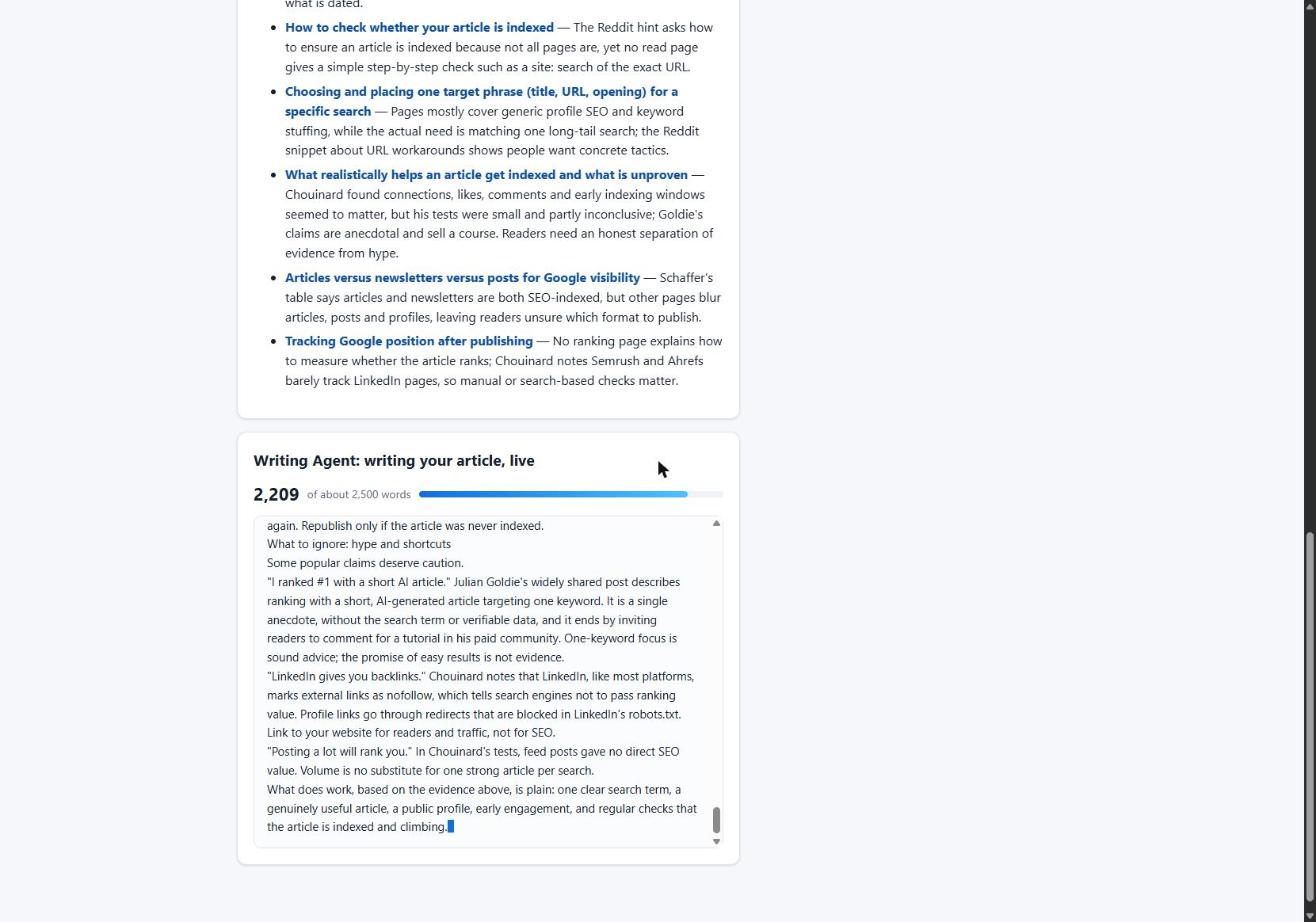
Instead, put the direct answer in the first two short paragraphs, then expand on it. Use the rest of the article to cover what the ranking pages miss. In RankedIn, the Analyst Agent produces that list. In our run on "how to rank linkedin article on google", it found 6 gaps and 4 questions to answer. The Writing Agent then writes against that list, and you can watch the text appear live.
Write headings that mirror what the reader asks next
A common outline for "rank on Google" articles covers keyword research, meta descriptions, backlinks, user experience and algorithm updates. That list fits any website, which is why it doesn't help much with a LinkedIn article. Build your headings from the gaps and questions you found, in the order a reader would ask them.
- One question per heading. "Why write an article, not a post" beats "Content strategy".
- Specific sections. Each section should give a step, an example or a checklist, not general advice.
- Use LinkedIn's own styles. LinkedIn's editor has Heading and Subheading styles. Use them so your structure is real, not just bold text. RankedIn's Chrome extension fills in the article with those styles.
- Short paragraphs. Many people read on a phone, so keep each paragraph to a few lines.
For the item-by-item on-page details, see our LinkedIn article SEO checklist.
Build the FAQ from People Also Ask
Google's People Also Ask box shows the questions searchers actually ask, in their own wording. Copy that wording into your FAQ and answer each question in two to four direct sentences. Our Writing Agent builds the FAQ from these questions.
Sometimes Google shows no People Also Ask box at all. That happened for the term this page targets. When that happens, don't invent questions. Use the questions the ranking pages raise instead. Here, two Reddit threads in the top results ask why LinkedIn articles stop ranking, which makes an honest FAQ question.
Add one natural link, not a link farm
Our Writing Agent adds one natural link to the customer's "Link to" page, which defaults to their website. One relevant link, placed where a reader would actually want it, reads better than a scatter of them.
You will see other advice. One practitioner's popular checklist on LinkedIn recommends adding 5+ external links. That is one person's checklist, not a proven rule, and our research gave no evidence either way. We choose one link because it keeps the article focused on the reader.
Fact-check every claim before you publish
None of the ranking pages we read made fact-checking a step. One long guide states detailed 2026 LinkedIn algorithm behaviour without citing a single source. Accuracy is an easy way to stand out.
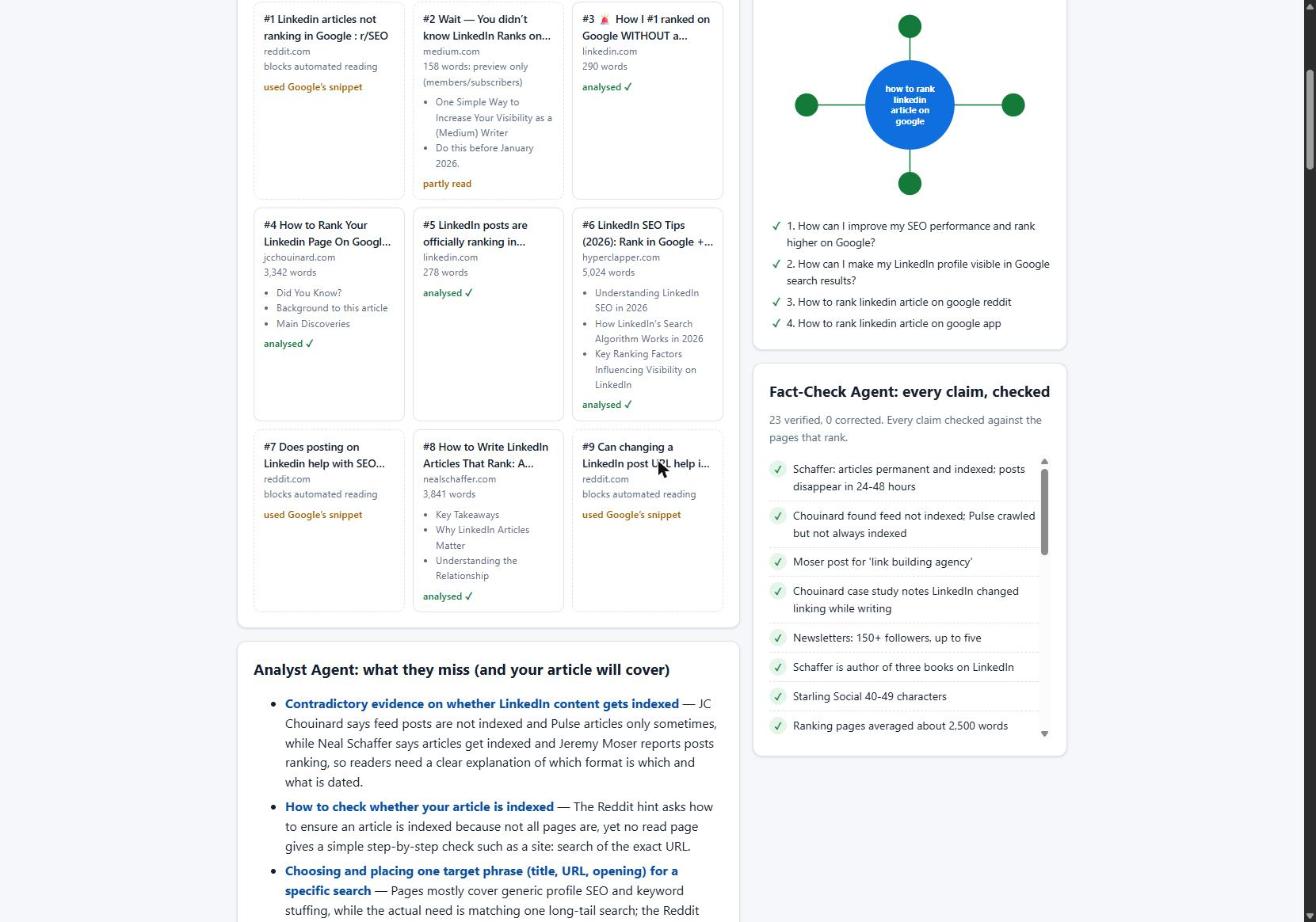
Our Fact-Check Agent lists up to 25 factual claims in the article and checks each one against the research. It applies corrections only and never rewrites the article. Then it re-checks the corrected sentences. If anything important is still wrong, the article is marked "Needs review" instead of "Ready". In our real run, it checked 23 claims and corrected 0, in 11 seconds.
To do this yourself:
- List every number, name, date and "X says Y" statement in your draft.
- Find the source for each one. If you can't, cut it or soften it.
- Fix only the wrong sentence. Don't rewrite the article while you are at it.
- Read each fixed sentence again against the source.
- Remove any line that promises rankings or results.
Publish cleanly and give it time to index
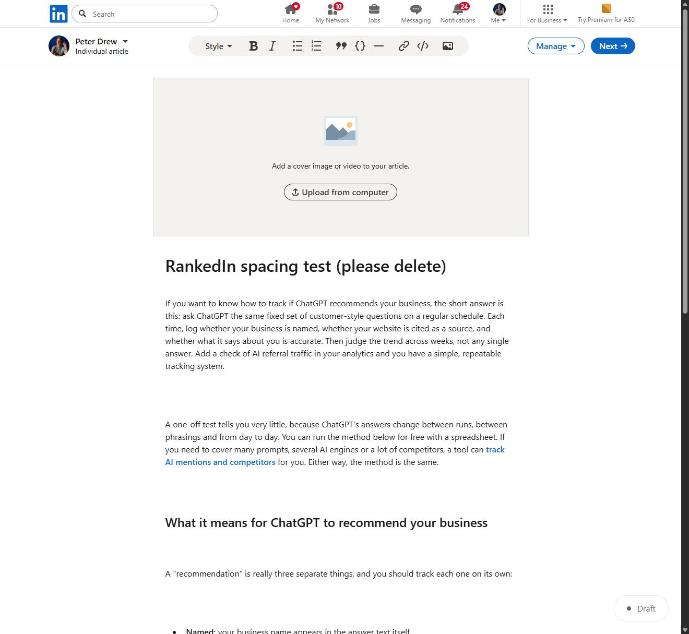
Formatting can go wrong at the last step. We found that line breaks between blocks of pasted HTML made LinkedIn's editor insert empty paragraphs. A 12-block article became 23 blocks, 11 of them empty. Sending compact HTML fixed it: 12 blocks stay 12. If you paste content in, check the spacing before you publish.
RankedIn never publishes for you. The extension fills in the editor, and you read the article and click Publish yourself. After that, the article link and the X post link go to PetesIndexer. RankedIn shows a link as indexed only when PetesIndexer confirms Google has indexed it. Until then, it says "Submitted, indexing in progress". If a link is not indexed, it is sent again once automatically. You can read more about how indexing works for a LinkedIn article.
Expect to wait. Our own four articles, published on 23 October 2026, were not in Google's top 100 that same day, which is normal this early. One writer on LinkedIn describes writing 336 articles before one reached Google's first page. A Reddit user describes rankings stalling after almost a hundred articles. Write well, publish steadily, and judge results over weeks, not days.
Frequently asked questions
How do I write a LinkedIn article that ranks on Google?
Pick one long-tail search term, check what already ranks, and use the exact term as your title. Answer the question in your first paragraph, build headings from what the ranking pages miss, add one relevant link and fact-check every claim. Rankings are never guaranteed, but this gives your article a fair chance.
Does Google index LinkedIn articles?
Yes, Google can index LinkedIn articles. Each article gets its own linkedin.com/pulse web address, and in our research a Pulse article was in the top 10 for 13 of 17 searches. Indexing is still not guaranteed for any single article.
Why are my LinkedIn articles not ranking in Google?
Common reasons are that the article is not indexed yet, the title doesn't match a real search term, or the opening doesn't answer the question. It can also simply be too early, since our own new articles were not in the top 100 on day one. Rankings can also stall for reasons you don't control, as one Reddit thread among the top results describes.
How long should a LinkedIn article be to rank?
There is no fixed number. Base it on the pages that already rank for your term. RankedIn averages the pages it reads properly and keeps the target between 1,200 and 3,000 words. In one run, that gave a target of about 2,500 words.
Should the title of a LinkedIn article match the search term?
We think it should. Our Writing Agent uses the exact search term in Title Case, so the searcher sees their own words in the result. Clever titles may work in the feed but match no query on Google.
Do LinkedIn articles rank better than LinkedIn posts?
For Google, articles have the advantage. Articles get their own web address and can show up in search on their own, while feed updates are mostly ignored by Google, according to one of the ranking pages. Use the post to announce the article, not to replace it.